Yes, with the right model. Audio-capable smart glasses can play music from a connected phone through speakers built into the frame. That statement does not apply to every pair of glasses sold as “smart.” Some prioritize a display or camera; others have no speakers at all. Even where music works, the source, Bluetooth connection, supported controls and app integrations depend on the exact model. Before buying, distinguish basic phone audio from special voice commands or one-touch music features.
What “music on smart glasses” usually means
On an audio model, the speakers sit in the temples near your ears. A phone or another compatible source supplies the audio, and the glasses act as a wireless playback device. That is different from storing a music library on the frame. It is also different from connecting a music service to a maker’s companion app for voice commands. A buyer may need only ordinary Bluetooth playback; someone who wants to request a named playlist by voice needs to check a narrower list of supported models, apps, languages and regions.
Ray-Ban’s official Meta smart glasses FAQ describes streaming Apple Music, Spotify and other audio from a phone, with touch and voice controls that vary by service. It also says the glasses reconnect to the Bluetooth audio source after being reopened. This is useful evidence about Ray-Ban Meta models, but it is not proof that every audio frame on the market has the same integrations. Check the manual for the particular product you are considering.
| Claim on a listing | What to verify | Question to ask |
|---|---|---|
| Bluetooth audio | Phone pairing and standard media playback | Can my music app send sound to the glasses without a special account? |
| Touch playback controls | Documented gestures for play, pause, skip and volume | Do the gestures work with my phone and app? |
| Voice music control | Supported assistant, service, language and region | Can I name a song or playlist, or only start a recommendation? |
| Offline music | On-device storage and supported file transfer | Will playback work when the phone is absent? |
Start with the phone-to-glasses connection
Confirm that the glasses support the phone operating system and that the pairing process is documented. The first setup may require a companion app, account or internet connection even when later playback uses Bluetooth. Ray-Ban’s FAQ, for example, describes phone and app requirements for its glasses. Do not assume that seeing a Bluetooth symbol on a product page means all features work without the app. Ask which functions are available after basic pairing, after full app setup, and when the phone is disconnected.
When testing, play a familiar track from the app you actually use. Confirm that sound reaches the glasses, then pause, resume, skip and change volume using the frame controls. Repeat after putting the phone in a pocket or bag. If the glasses have wear detection, verify what closing a temple or taking the frame off does to playback. A claim that “music works” is much more informative when it includes these ordinary steps than when it names only an audio chipset or Bluetooth version.
Music-service integration is a separate layer
Ray-Ban’s official support material describes connecting certain services through the Meta AI app to enable additional controls. Its documentation also distinguishes touch gestures from voice commands. Service availability, subscription requirements and voice-language support can change. A retailer’s old screenshot is therefore a poor substitute for the current maker FAQ and the current app settings. If you already pay for a service, first confirm ordinary Bluetooth playback; then treat voice integration as a bonus with its own compatibility check.
Do you need a phone nearby?
For streaming music from a phone, the phone or another source must remain connected within the practical range and environment supported by the device. A frame cannot stream a phone’s audio after the phone is switched off or left behind unless the frame has its own documented playback route. Some glasses can perform limited functions while disconnected, but those functions are not necessarily music. Ray-Ban’s Meta Ray-Ban Display FAQ says the display glasses can listen to audio from a phone connected over Bluetooth even when the glasses are not connected to the companion app. “Not connected to the app” is still different from “no phone needed.”
What should you expect from open-ear sound?
Most audio frames leave the ear canal open. That can make them convenient for brief listening while staying aware of nearby sounds, but it also changes how they feel compared with sealed earbuds. Music may be less private in a quiet room, and background noise may compete with the speakers. These are design trade-offs, not universal defects or measured claims about the site’s products. Sound leakage, bass response and intelligibility depend on fit, volume and the specific speaker arrangement. If privacy or noisy commuting is central, test the exact frame in a realistic environment before buying.
Do not interpret open-ear design as permission to ignore your surroundings. A wearer can still be distracted by music or calls. Follow local road and workplace rules and use a volume that allows you to notice important cues. If glasses press against the ear or temple, fit may matter more to long listening sessions than a quoted maximum playback time. Ask whether the frame can be adjusted by an optician and whether that adjustment affects the electronics or warranty.
| Trial | What to observe | Why it matters |
|---|---|---|
| Quiet room, moderate volume | Clarity, comfort and nearby listener audibility | Checks private listening needs |
| Outdoor walk, safe location | Speech and music clarity versus ambient noise | Checks use in the intended environment |
| Phone in pocket | Connection stability and control responsiveness | Checks ordinary hands-free use |
| App switch | Playback from the music and podcast apps you use | Separates general Bluetooth audio from special integrations |
| Long wear | Temple pressure, balance and battery behavior | Checks comfort beyond a short showroom demo |
Compare products by the job you need done
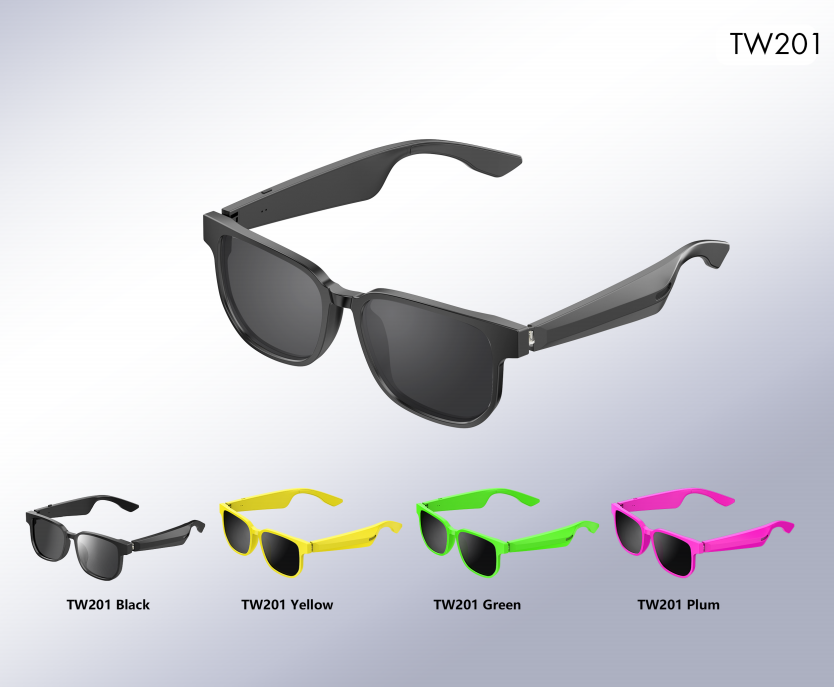
For an audio-focused shortlist on this site, inspect the TW201 smart music sunglasses and the YJ010 smart glasses. These product links help you compare frame styles and ask for model-specific documentation; the article does not claim a measured sound quality, battery runtime or service integration for either. Request the current user manual, supported pairing modes, control map, charging method and warranty terms before placing an order.
It is useful to write down two requirements separately. The first is “I want audio from my phone without earbuds.” The second might be “I want to ask for a named playlist without touching my phone.” Many products may satisfy the first and fewer may satisfy the second. Decide whether a camera, display, prescription option or sun lens is also necessary. Every added feature can change weight, price, power use and privacy considerations, so avoid buying an unrelated feature just to get music playback.
What to remember
You can listen to music with audio-capable smart glasses, but the answer becomes useful only after you identify the model and the music workflow. Verify phone pairing, ordinary Bluetooth playback, controls, app integration, sound privacy and fit with the maker’s current documentation. A five-minute real-world trial with your own phone and music app is more decisive than a generic “smart glasses” label.