Quick answer: There is no worldwide yes-or-no rule for smart glasses at school. A district or school may restrict personal electronic wearables during the school day, an individual teacher may set classroom rules, and an exam provider may ban smart glasses even when the school otherwise permits a device. A documented disability accommodation can change the process, but it must be arranged through the relevant school or testing organization. Check the exact policy before bringing or using the glasses; switching off a camera or phone connection does not automatically make a prohibited device permitted.
The question matters because “smart glasses” includes very different equipment. One pair may offer only Bluetooth calls and music; another may have a camera, microphone, voice assistant, display or internet-linked AI features. Their capabilities affect distraction, test security, recording and student privacy. Yet rules often cover the entire class of personal electronic wearables rather than just camera-equipped models. The useful way to decide is to identify the device, the setting and the rule-maker: ordinary class, a school-managed activity or a standardized test.
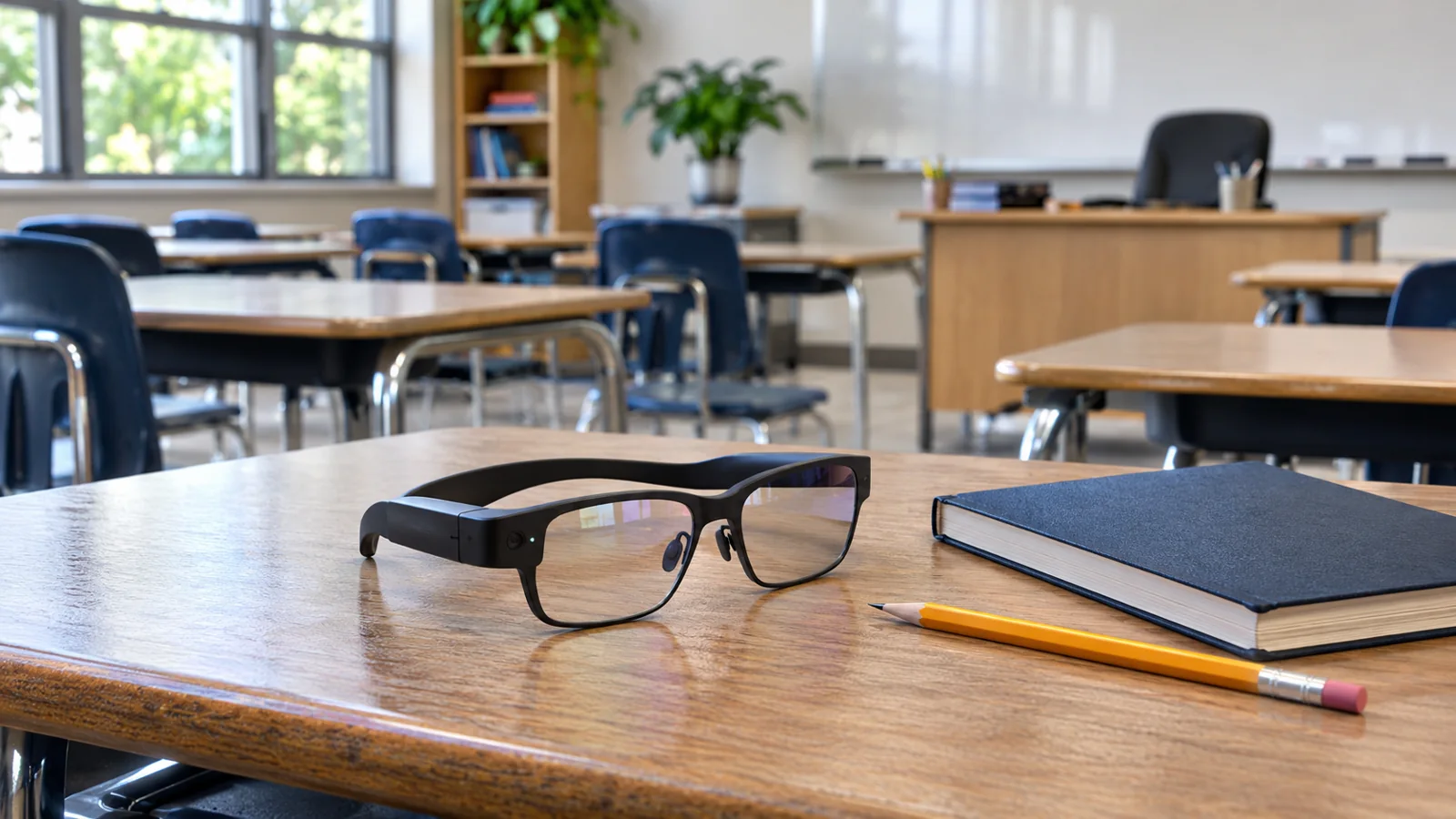
Start with the rule that applies to the situation
School rules are local and change. For example, a Los Angeles Unified school policy page explicitly includes smart glasses among devices covered by its school-hours restriction. New York City Public Schools restricts use of personal internet-enabled electronic devices during the school day, with stated exceptions and a direction to consult the individual school’s policy. These are examples of official rules in two U.S. school systems; they do not govern other districts, universities or countries.
Do not assume that a teacher’s permission for a phone applies to glasses. Likewise, a school’s general device rule may be different from a library, lab or sports-event recording policy. Ask the school office for its current written policy and whether the rule covers audio-only glasses, camera glasses and devices used as assistive technology. If the answer is verbal, request the applicable policy or written approval so the student and staff have the same understanding.
| Setting | Rule to check first | Why the answer may differ | Practical next step |
|---|---|---|---|
| Regular class | District and school personal-device policy | School may restrict all wearables or allow directed educational use | Ask for the current school rule before wearing |
| School-approved activity | Teacher or administrator authorization plus recording rules | Specific project may allow a device with controls | Document purpose, location and permitted functions |
| SAT or AP exam | Exam provider’s current test-day rules | Test security restrictions are often stricter | Review rules and approved-accommodation process early |
| Disability accommodation | School plan and any separate testing approval | Assistive technology may be addressed individually | Contact the school or testing accommodations office |
The table is a decision map, not a substitute for a school or exam organizer’s decision. A district can update its policy during a school year, and a standardized test can publish new rules. Recheck near the event date rather than relying on a product review or an old forum answer.
Exams are a different category
College Board’s current SAT testing rules explicitly list smart glasses and eyewear that can access internet or AI functions among items students cannot bring or access, except where a testing accommodation has been approved. Its separate prohibited-devices page also names smart glasses. The AP exam security policy says smart glasses are prohibited from testing. These are direct test-provider rules; turning a pair off or covering its camera does not create an exception by itself. A student who needs technology for access should obtain approval through the provider’s accommodation route before test day.
Testing staff may need to inspect eyewear if they suspect a prohibited device. Ordinary prescription glasses are a different issue, but electronic frames can look similar from a distance. If vision correction is needed, bring permitted non-electronic glasses unless the exam provider has approved another arrangement. Do not assume that a school-issued device or teacher permission overrides College Board’s test rules. The relevant authority for the exam is the organizer administering it.
For classroom quizzes not administered by a national provider, ask the school or teacher. A camera-free audio frame can still receive calls or spoken information, so “it has no camera” is not enough to establish exam suitability. If a device has a display or voice assistant, disclose those features rather than waiting for a proctor to discover them. The objective is a clear, fair rule applied before students sit down, not a last-minute dispute about what the device can do.
Disability accommodations require a separate conversation
Technology can be useful for access: audio prompts, speech support or display aids may meet an individual need. A blanket assumption that every device must be excluded can overlook a documented accommodation. The U.S. Department of Education’s disability-discrimination guidance explains that related aids and services can include assistive technology, and that public-school accommodations are assessed through applicable processes. That does not mean any commercial smart glasses are automatically approved or appropriate for a particular student.
Families and students should contact the school’s 504 or special-education team, as appropriate, and describe the function required rather than only naming a brand. Does the student need magnification, text-to-speech, captions or a hearing-related aid? Can the same need be met by a school-managed device without a camera or open internet connection? Record the approved function, when it may be used, who provides support, whether data is stored and what happens during tests. For external exams, check the provider’s separate accommodation application and deadlines.
Do not try to solve an accommodation issue by secretly disabling or disguising a feature. The school needs enough technical detail to manage privacy and test integrity. Equally, a generic marketing claim such as “AI glasses help learning” is not evidence that a device meets a student’s documented need. Ask for a controlled trial and the exact product’s accessibility and data-handling documentation.
Recording and student privacy
Camera-equipped glasses raise questions that an ordinary pair of eyeglasses does not. A student may capture classmates, teachers, worksheets or school screens without an obvious phone in hand. Audio-only glasses can also contain microphones. Even if the student does not intend to post a recording, a school needs rules for notice, consent, storage, sharing and deletion. A capture light is helpful only as far as the device and school policy actually use it; it is not a general permission slip.
The U.S. Department of Education’s student-privacy FAQ explains that a photo or video can be a FERPA education record when it is directly related to a student and maintained by a school or a party acting for it. That definition is context-specific; it does not mean every personal clip made by a student automatically becomes a FERPA record. Recording rules may also come from local school policy, state law or the organizer of an activity. Avoid blanket legal claims and ask the school’s privacy contact about the setting at issue.
For a legitimate class project, permission should specify who can record, what may be captured, where the file is stored and when it must be deleted. A phone-connected app might synchronize media automatically, so inspect its settings before a trial. If a student is simply seeking music or calls between classes, a camera-equipped frame adds a privacy feature that may not help the task. A camera-free design can reduce one concern but does not bypass a policy covering all electronic wearables.
Choose the device by allowed function, not its label
The site lists YJ005-A02 audio sunglasses for music and calls and YJ-AR002 camera smart glasses for camera and other advertised functions. Both are relevant examples when discussing how device capability changes the school-policy question. The public listings are not school approvals, and this article does not claim either model is appropriate for a particular student, class or exam. Ask the school first, then compare only functions it permits.
| Feature to disclose | Why school staff may ask | Evidence to provide |
|---|---|---|
| Bluetooth calls and speakers | Distraction and communication during instruction or tests | Exact model sheet and controls |
| Camera or video recording | Classmate privacy and test-content security | Capture controls, indicator and storage path |
| Microphone and voice assistant | Audio capture and access to outside answers | App permissions and whether features can be disabled |
| In-lens display or internet access | Unseen information during class or examination | Actual display and connectivity specifications |
| Assistive function | Individual access need and support plan | Documented accommodation request and trial plan |
Product photos are insufficient evidence of what software can do. An audio frame may connect to a phone app; a camera frame may store files locally; a display model may show information others cannot see. Request the current technical sheet and app documentation for the exact firmware or model revision. If the school approves a narrowly defined use, preserve that scope when the software is updated.
A practical permission checklist for families and schools
- Identify the school, district and activity; obtain the current written device policy.
- List the exact model’s microphone, camera, speaker, display, wireless and storage functions.
- State why the device is needed and whether an approved alternative exists.
- Ask who can authorize classroom use and whether a separate exam rule applies.
- Document limits on recording, network access, file retention and use outside the approved class.
- For an accommodation, use the school or test provider’s formal process well before the date needed.
Teachers should be able to distinguish a device needed for learning access from one used mainly for entertainment or covert communication. Students should know whether the glasses must be stored, powered off or left at home. A clear process protects both learning and fairness. If a policy is unclear, ask for clarification before purchase rather than relying on the fact that the product resembles regular eyewear.
FAQ
Are camera-free smart glasses automatically allowed?
No. A rule may restrict all smart glasses or electronic wearables, including audio-only models. Some schools may permit specific educational or accommodated uses. Check the written local policy and the exact function being used. Camera-free means no camera on that model; it does not remove speakers, microphones or wireless communication.
Can a student wear smart glasses during the SAT?
College Board’s current SAT rules list smart glasses among prohibited electronic equipment, except for technology covered by an approved testing accommodation. Check the current rules and the provider’s formal approval process; a teacher’s general classroom approval is not sufficient for the exam.
Does turning the glasses off make them acceptable at an exam?
Not necessarily. The SAT rules address possession or access to listed equipment, not only active use, and test staff may inspect glasses. Follow the provider’s instructions for prohibited items. Do not assume an off switch, covered camera or airplane mode changes a published rule.
What if the student needs electronic eyewear for a disability?
Contact the school’s accommodation team and, for an external test, the testing provider’s accommodations office. Describe the functional need and the device’s capabilities. Approval is individualized and may involve a different aid or restrictions on features. Do not wait until test day to request it.
Takeaway: School use is decided by the school or district; exam use is decided by the test provider; disability access follows the applicable accommodation process. Identify the exact device and setting, then obtain the current rule before treating smart glasses as permitted.
Official sources
- College Board, current SAT Testing Rules
- College Board, AP Exam Security Policy
- Washington Primary Center, Los Angeles Unified, personal-device policy
- New York City Public Schools, Cell Phone and Electronic Device Policy
- U.S. Department of Education, photos and videos under FERPA
- U.S. Department of Education, disability discrimination FAQs