Quick answer: A power bank’s input wattage describes the rate at which it can receive power while recharging. Output wattage describes what it can supply to another device. They are separate ratings, often with different limits and USB Power Delivery profiles. A bank advertised as “65W” may mean 65W from one output port while its input is lower. Read the per-port input, per-port output and simultaneous-output tables before predicting charging time or laptop performance.
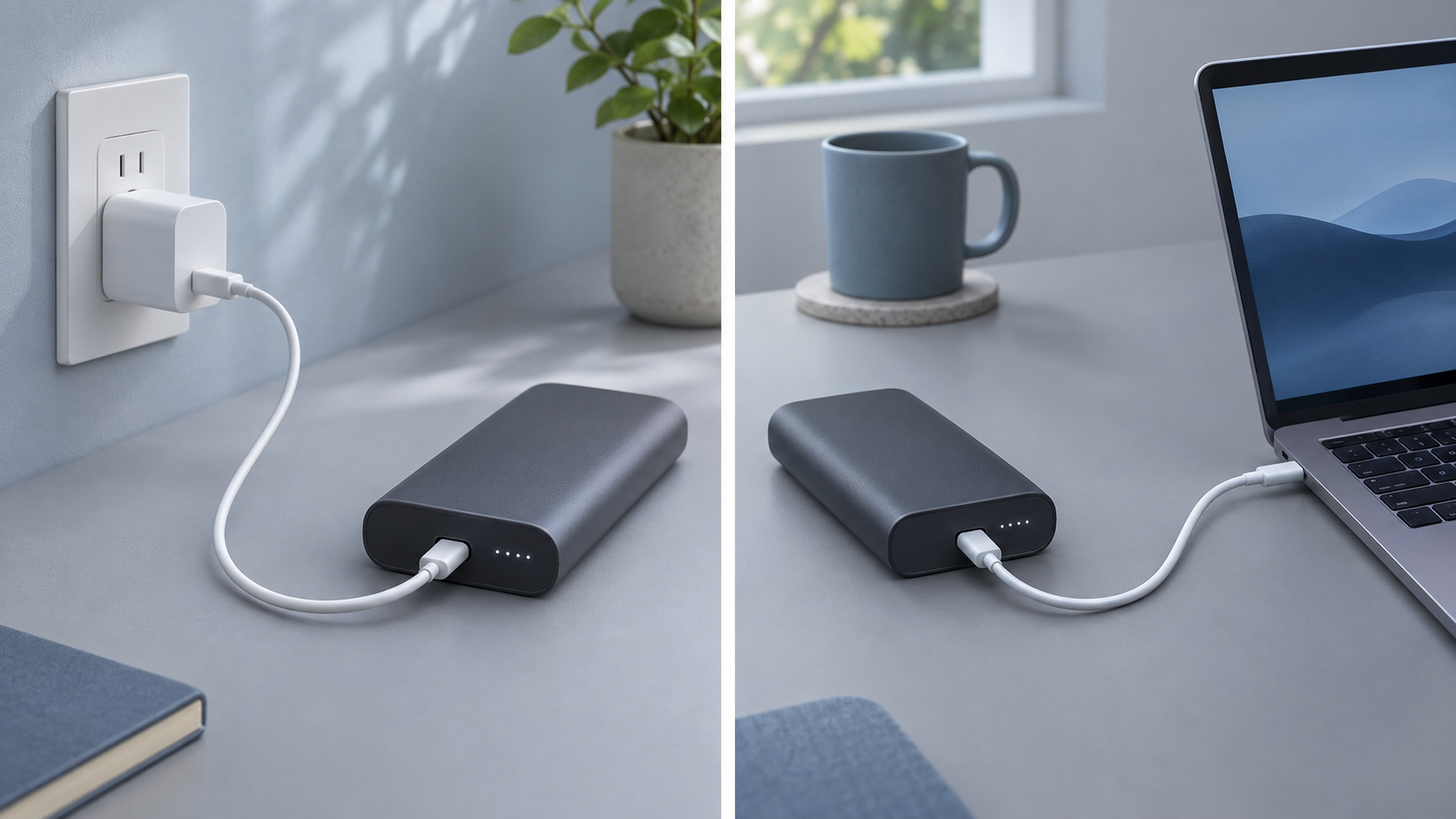
Which way is power moving?
When a wall adapter charges the bank, the bank is the receiving device. When the bank charges a phone or laptop, it is the power source. USB-C can support different power roles, and a dual-role port may change its role depending on what is connected. The USB Implementers Forum’s Type-C overview distinguishes source, sink and dual-role power. A connector that looks identical in both directions does not mean the wattage is identical in both directions.
Look for label phrases such as “USB-C IN,” “USB-C OUT” or “IN/OUT.” Then read the voltage/current lines below each one. A hypothetical label might list input up to 30W and output up to 65W on a USB-C port. That means a compatible laptop may receive a higher peak power than the bank can accept from a charger. The example is for reading labels, not a specification of a product sold here.
| Specification | Direction | What it can tell you | What it cannot promise |
|---|---|---|---|
| USB-C input: 30W max | Wall charger to bank | A peak accepted mode under stated conditions | A full recharge in battery Wh divided by 30W exactly |
| USB-C output: 65W max | Bank to device | One port’s maximum offered mode | Every laptop will draw 65W |
| Two-port output: 45W total | Bank to two devices | A shared ceiling for that combination | Each device gets an equal share |
| Cell energy: 74Wh | Stored energy | A nominal energy quantity | 74Wh delivered at the USB connector |
Why a higher-output bank can recharge slowly
Output electronics and input charging electronics can be designed to different limits. A laptop-oriented bank may prioritize a high USB-C output while accepting a more modest input from the wall. The wall adapter and cable also set a ceiling. A bank that accepts 30W cannot recharge at 65W simply because the adapter says 65W, and an adapter with only a low-power mode may not reach the bank’s maximum input. USB Power Delivery requires compatible source and receiving-device negotiation; the USB-IF overview explains the protocol.
Do not divide the printed battery watt-hours by peak input wattage and treat the result as a guaranteed full-charge time. Charging power changes as the battery fills, and conversion creates losses. For a meaningful comparison, use the same starting charge indication, adapter, cable and room conditions; record time to the maker’s full-charge signal. If a pack has several input paths, verify whether they can be used together rather than assuming their maxima add.
Why a laptop may draw less than the output label
The laptop must support charging through the specific USB-C port, accept one of the bank’s offered voltage/current profiles and use a suitable cable. A sleeping laptop may draw differently from one under a heavy workload. Near full charge, many devices taper their draw. A bank may also reduce its output when its own battery is low or when another port is occupied. The largest number on the box is not a constant power guarantee.
Read the simultaneous-output table when charging a laptop and phone together. If it is absent, ask the supplier for the full port matrix. A USB power meter can reveal the negotiated voltage and current during a test, provided the meter supports that range and protocol. A laptop’s battery percentage alone mixes incoming power with its own consumption, so it cannot establish the bank’s electrical output by itself.
Input, output and pass-through are three different claims
Some banks can recharge themselves while they power another device; others cannot, or they restrict speed or features when both directions are active. That behavior is commonly called pass-through charging, but it is not guaranteed by an “IN/OUT” label. An IN/OUT port may simply switch between roles at different times. Do not connect a wall adapter and a laptop simultaneously expecting a pass-through function unless the exact manual supports it and identifies a safe connection pattern.
For an OEM sample, ask whether input and output can operate together, which port combinations are permitted, whether the bank prioritizes itself or the attached device, and what happens if the wall supply is disconnected. Record heat and reconnection behavior under the intended load. A site product page without this information is not enough to advertise pass-through capability.
| Symptom | Possible explanation | Check first |
|---|---|---|
| Bank recharges slowly | Input rating below adapter rating | Bank input profiles, adapter output and cable |
| Phone charges but laptop does not | Output voltage/profile mismatch | Laptop USB-C support and bank per-port output |
| Laptop slows when phone is connected | Shared output budget | Simultaneous-output matrix |
| Bank stops output when wall charger is connected | Pass-through unsupported or mode change | Exact model manual, not connector shape |
| Display wattage changes during recharge | Charging taper or device load change | Repeat under controlled conditions |
Compare actual models by their full port matrix
The 20,000mAh 65W power bank and 20,000mAh 35W solar-assisted bank are different design starting points. Their listing titles alone do not establish input wattage, usable energy, pass-through support or suitability for a particular laptop. Request the latest label, user manual and tested input/output table for each exact SKU before comparing them. Solar replenishment is a separate input question; it does not change the USB-C output protocol by itself.
For a wholesale brief, state the target wall charger, laptop model, cable, required single-port output and acceptable recharge time. Define whether simultaneous operation matters. Then ask for sample results with instrument readings, start and end battery conditions, and temperature notes. This turns “fast charging” into a testable requirement and prevents an output headline from being mistaken for an input promise.
How to read a confusing retail specification
If a page says “65W fast charge” without a direction, look for a detailed image of the rear label or downloadable manual. Write a separate line for each port and role: USB-C1 input, USB-C1 output, USB-C2 output and combined output. Then write the voltage/current profiles alongside the claimed maximum. If the information is unavailable, ask the seller rather than reverse-engineering it from a single phone test. The same principle applies to solar-assisted banks: the solar panel’s rated peak, the bank’s USB input limit and the bank’s USB output limit are three distinct figures. Panel production also depends on sunlight, orientation and temperature. No single headline number describes all three paths.