Quick answer: A smart-glasses microphone captures sound, software identifies relevant speech, a recognition model converts that audio into text or a command, and the system returns a response through speakers, a phone or a display. “Real time” usually means the system processes short audio segments continuously; early words may change when more context arrives. The exact processing location—on the glasses, on a phone or in a cloud service—varies by product. A Bluetooth audio frame is not automatically a live-transcription device.
Speech recognition is often bundled with terms such as voice assistant, live captions and translation. They are related but distinct. Recognizing words is the first step; translating them requires another stage, and answering a question requires still more software. An audio-only pair can carry the microphone and speakers while a connected phone performs the computation. A camera-equipped pair can offer a voice command without ever showing captions in the lens. Buyers should ask which function is actually supported rather than treating every “AI smart glasses” listing as interchangeable.
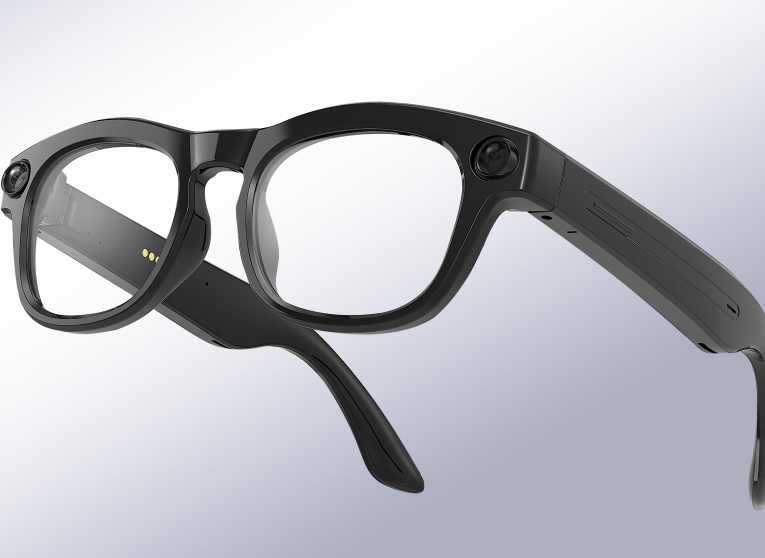
The pipeline from sound to a useful result
Microphone and audio capture
A microphone in the frame picks up the wearer’s voice and surrounding sound. Placement, wind and nearby speakers affect the recording. The system must decide when to listen: a push-to-talk control, wake phrase, active caption session or continuous meeting mode can each start a different capture pattern. A voice command works best when the intended speaker is close and the software knows the expected language. In a crowded room, voices can overlap, and a system may transcribe the wrong person or miss part of a sentence.
Recognition and partial text
Software receives digitized audio and predicts words. Google Cloud’s streaming speech documentation distinguishes interim results from final results: partial text can appear while the user is still speaking and be revised after additional audio arrives. That is why live captions sometimes replace a word or move punctuation. An “instant” result is not necessarily final or accurate. Processing can occur locally or remotely; Google’s MediaPipe Audio Transcriber documents an on-device approach, while Cloud Speech-to-Text documents remote streaming. Those examples explain technical choices, not the architecture of the specific products linked below.
Action, display or spoken reply
Once speech has been recognized, an app can match a command, create captions, search for an answer or pass the text to a translator. A command such as “pause music” may need a short phrase and an action confirmation. Live captions require a continuous text stream and somewhere to display it—often the paired phone. Translation adds language detection and a translation model; a product that accepts voice commands does not necessarily translate conversations. A glasses speaker can read a result aloud without any in-lens display.
| Feature claim | Minimum function to verify | Output to expect | Question for the seller |
|---|---|---|---|
| Voice commands | Recognizes supported phrases | Action or spoken confirmation | Which commands and languages work? |
| Live transcription | Continuous speech-to-text | Text on phone or display | Where is the transcript shown and saved? |
| Live translation | Recognition plus translation | Translated text or audio | Which language pairs and network modes? |
| Question answering | Recognition plus retrieval or AI service | Answer in audio or app | Does it need a phone or internet? |
The table separates capabilities; it does not certify that any particular site model implements them all. Ask for an actual demonstration on the exact firmware version and language pair. A listing may mention “real-time translation” yet omit whether the text appears on a phone, whether it handles two speakers, or whether it needs a live data connection.
Where does recognition run?
On-device processing can keep audio local and may work without network access, but the model must fit the available hardware and may support fewer languages or features. Google’s current MediaPipe documentation explicitly describes on-device streaming transcription and says its sample task processes audio without sending it off the device. That is an example of what is technically possible, not evidence that a named pair of smart glasses uses MediaPipe.
Phone-assisted processing moves work to the paired handset. This can make an otherwise simple frame more capable, but performance depends on the app, phone permissions, battery and Bluetooth connection. A Bluetooth audio connection alone does not reveal whether an app transcribes or stores speech. Android’s SpeechRecognizer API documents an on-device service option; developers must check availability rather than assume it exists on every phone. On a buyer’s phone, the actual app behavior matters more than a generic statement that “Android supports speech recognition.”
Cloud processing sends audio or derived data to a remote service and can provide more complex language handling, but it requires connectivity and raises separate privacy and retention questions. Google Cloud’s streaming API demonstrates how audio chunks can be sent and interim text returned during speech. It does not imply that a given glasses vendor uses Google Cloud. Ask the maker which provider receives audio, under what circumstances, and whether the user can opt out.
| Processing path | Potential advantage | Dependency to check | Privacy question |
|---|---|---|---|
| On glasses | May work with no phone connection | Supported model, language and battery | Is audio stored locally? |
| On paired phone | Uses phone compute and app interface | Bluetooth, app, OS permissions | Does the app retain transcripts? |
| Cloud service | Can support complex remote models | Internet, account and service availability | Who receives audio and for how long? |
What affects accuracy and delay?
Environmental sound is a major factor. Wind across frame microphones, music from the glasses’ own speakers, a mask, poor microphone placement or several people speaking at once can interfere. The recognition language setting must match the actual speech. Technical details such as sample rate and encoding can also matter when an app passes audio to a recognizer; Google Cloud notes that poor audio or mismatched language and encoding can yield no recognized result. A user cannot always fix a vendor’s pipeline, but can test with short, clear sentences in a quiet setting before relying on the product outdoors.
Delay is more than network time. A device must detect speech, buffer enough context, run recognition and then render or speak the result. Fast interim captions may be revised; waiting for a final result improves stability but adds delay. A translation feature adds another stage. During shopping, ask for observed latency under the exact mode you need—commands, captions or translation—and note whether the demonstration is on Wi-Fi, mobile data or offline. A marketing label of “real time” is not a performance specification.
Privacy and consent in everyday use
Microphone-enabled glasses can be unobtrusive, so people nearby may not know when speech is being processed. Obtain consent where appropriate and follow workplace or venue policies. Determine whether a wake phrase is locally detected, whether subsequent audio leaves the device, whether transcripts are saved and whether you can delete them. Ray-Ban’s official help separates voice-control settings and microphone troubleshooting, which illustrates why privacy features have to be checked in the actual product settings. A visible camera in an image does not tell you anything about audio retention.
For meetings or interviews, avoid using an unverified transcription feature as the sole record. Inform participants, test the app’s permissions and export path, and check the transcript against the audio if accuracy matters. Names, product codes and technical jargon are particularly easy to mishear. If confidential information is involved, verify the vendor’s data processing documentation and the organization’s policy before enabling cloud recognition. This is a procurement and workflow question, not merely a microphone-quality question.
Choosing a relevant product without overclaiming
The site’s YJ-AR002 AI camera-glasses listing advertises translation alongside audio and camera functions. That makes it a relevant product to ask about for a speech-related use case, but the public listing does not disclose its exact recognizer, on-device or cloud path, transcript retention or measured latency. Request a demonstration and current technical sheet for the intended language pair before claiming it meets a live-caption requirement.
By contrast, YJ005-A02 audio sunglasses list music and calls. A microphone for calls does not prove automatic speech-to-text, captions or translation. They may still be a suitable simpler choice when the goal is hands-free audio rather than transcription. Comparing these two listings is useful precisely because it forces the buyer to distinguish basic Bluetooth audio from a separately documented recognition feature. Do not upgrade a call microphone into an AI capability in marketing copy without evidence.
A five-minute evaluation before a larger order
Ask the seller to identify the device, app and firmware used in a demonstration. Have one person issue a short command in the advertised language; record whether the action occurs without touching the phone. Then try a spoken sentence with a name or product code, inspect the displayed transcript and see whether partial text changes. Repeat with moderate background noise. Turn off the phone’s network connection only if the seller claims offline operation, and verify whether the feature still works. Finally, review privacy settings and export/deletion options. These are proposed evaluation steps, not tests already performed on the products in this article.
Document results by use case. “Passed voice control in English” does not establish live translation between two other languages. “Produced a phone transcript” does not establish an in-lens display. Record the response path—spoken audio, phone screen or lens—and whether the wearer must tap a button. If an exact performance threshold matters, ask for a formal acceptance test with the seller rather than relying on a casual showroom demonstration.
FAQ
Do smart glasses recognize speech without internet?
Some software can run recognition on-device or on a paired phone without sending audio to a remote service, but that capability varies by model, app, language and feature. Check the vendor’s documentation and demonstrate the specific function with connectivity disabled. Do not infer offline operation from a Bluetooth logo or the presence of a microphone.
Is speech recognition the same as translation?
No. Recognition turns speech into text or a command. Translation converts meaning into another language after recognition, then may present the result as text or synthesized audio. Each stage has its own errors and timing. A product can support voice commands while offering no conversation translation.
Can audio-only glasses show live captions?
They cannot show text in the lens without a display, but a paired phone may show captions if a compatible app offers transcription. Verify the app rather than assuming the frame provides it. The output location is as important as the recognition engine for accessibility and hands-free use.
Takeaway: Real-time speech recognition is a pipeline, not a single hardware feature. Identify where audio is captured and processed, what output is produced, what data is retained and which language and network conditions are supported before treating a pair of smart glasses as a transcription tool.