A single yes-or-no answer is misleading. Whether a particular pair may be worn while driving depends on local rules, its lenses and fit, and what the driver does with its electronic features. Plain eyewear and an active display, camera, message reader or voice assistant pose different questions. This article does not determine legality in any jurisdiction and does not certify any pair as driving-safe. It explains how to separate passive wear from interactive use and why “hands-free” is not the same as “distraction-free.”
Separate wearing the frame from using its functions
Start with the optical role. Sunglasses can affect visibility in low light, and prescription lenses must match the wearer. A smart frame might also contain speakers, microphones, cameras or an in-lens display. Those functions should be assessed as driving tasks, not merely as eyewear. A driver who wears a powered-off frame is doing something different from reading a long notification on a display or issuing a series of voice prompts while merging into traffic. The product name alone cannot settle the distinction.
The US National Highway Traffic Safety Administration describes distraction in visual, manual and cognitive terms. Its human-factors guidance explains that a task can take eyes, hands or mental attention away from driving. NHTSA’s distracted-driving overview includes interaction with navigation and entertainment among activities that can divert attention. Glasses may remove the need to hold a phone, yet still introduce visual or mental demands. The size of a device does not eliminate the task it presents.
| Action | Possible attention demand | Safer planning question |
|---|---|---|
| Listening to a brief audio cue | Auditory and some cognitive load | Can the route be set before departure and cues kept simple? |
| Reading a message or display card | Visual and cognitive load | Can it wait until the vehicle is safely parked? |
| Taking a photo or video | Attention to framing and controls | Is there any reason to do this while driving rather than parked? |
| Conversing with an assistant | Cognitive load even without touching a screen | Is the question necessary for driving now? |
| Adjusting fit or volume | Manual and visual attention | Can the adjustment be completed before moving? |
Why voice control is not a blanket safety solution
A voice command may reduce the need to touch a phone, but speaking, listening and deciding what to do with a response still occupy attention. NHTSA’s distracted-driving research review discusses how eliminating some visual or manual interaction does not necessarily eliminate cognitive distraction. The practical lesson is to avoid extended conversations, message composition and nonessential information requests while driving. A simple prerecorded turn cue is not equivalent to a multi-step AI query, and a product’s “hands-free” badge does not measure driver performance.
Do not test a new interface for the first time in traffic. If the glasses offer voice controls, learn what each command does while stationary, check whether a spoken response is long or surprising, and set a conservative policy for when to use it. Disable or defer alerts that invite repeated replies. If an unexpected notification arrives, let it wait. A driver should not be required to decide whether a message is important by reading it on a small display while moving.
Display and camera functions require their own decision
A display may place information close to the line of sight, but that does not mean the information is harmless. Reading text requires focus; looking at a virtual map or menu can compete with scanning the road. Camera controls can similarly redirect attention to framing or recording status. A product designed for entertainment, meetings or social capture should not be assumed suitable for driving simply because it is worn on the face. Examine the maker’s model-specific warnings and the laws where the vehicle will be driven. When those sources are unclear, avoid active features until the question is resolved.
Lenses and fit matter independently of electronics
Check that the lenses are appropriate for the driver’s vision and lighting conditions. Dark sun lenses can be unsuitable after dusk or in tunnels; a photochromic lens may respond differently in a vehicle than outdoors. Do not assume that a product image proves a lens meets a particular optical standard. An unfamiliar or loose frame can also distract a driver if it slides or needs repeated adjustment. Try the fit while parked, verify that side vision and mirrors remain unobstructed, and switch to suitable ordinary eyewear if the smart frame interferes with vision or comfort.
Check the local rule and the maker’s instructions
Rules on screens, video, recording, audio devices and driver eyewear differ among countries and sometimes among states or provinces. They also change. Check the official road authority for the place you will drive, not a global blog statement. Separately, read the exact product manual for restrictions on use during driving. A rule that permits a particular hands-free call does not necessarily permit looking at an in-lens display or recording other road users. Employer or fleet policies may be stricter than the law.
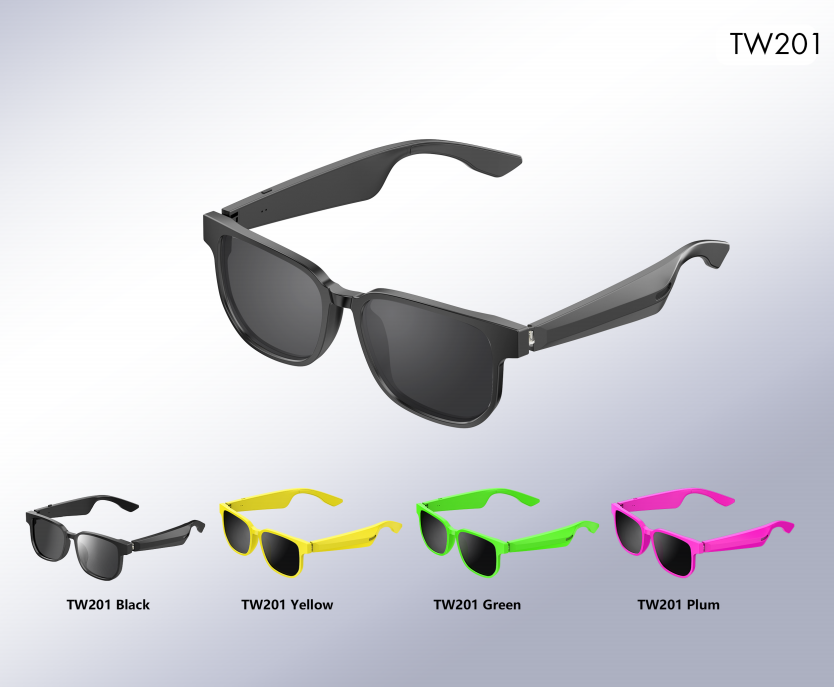
For a purchaser comparing audio frames, this site’s TW201 smart music sunglasses and YJ010 audio smart glasses are product examples, not driving recommendations. Ask for the current lens specifications, user manual, warning labels, control behavior and supported phone setup before deciding whether either belongs in a vehicle. This article makes no claim that either frame has been evaluated for driving safety or is legal in a specific jurisdiction.
| Check | Evidence or action | Decision if unresolved |
|---|---|---|
| Applicable road rules | Current official local guidance for eyewear and device use | Do not rely on a generic internet answer |
| Lens suitability | Correct prescription, tint and lighting fit | Use appropriate ordinary eyewear |
| Frame fit | Stable position and clear view of road and mirrors | Adjust before travel or choose another frame |
| Feature plan | Set route, audio and notifications while parked | Do not configure while moving |
| Unexpected alerts | Simple rule to ignore them until safely stopped | Silence distracting features |
A cautious answer for buyers and fleet managers
Ask the supplier for separate information about lens properties, electronic functions and warnings. A business considering smart glasses for drivers should also ask its safety team to define which functions, if any, are allowed during a trip. A no-camera or audio-only model is not automatically free of distraction: calls and voice assistants can still draw mental attention. Equally, a pair worn as ordinary eyewear with electronics off is a different scenario from using a live display. Those distinctions help make the policy concrete.
If the driver needs route guidance, prepare it before departure and use the simplest reliable cue that local rules and the vehicle permit. If the driver needs to answer a message, inspect a photo, adjust a setting or troubleshoot pairing, stop in a safe legal place first. This approach is deliberately conservative because a blog cannot evaluate the traffic situation, wearer or jurisdiction. The right question is not only “Can I wear smart glasses?” but “What am I asking the device to make me do while I drive?”